
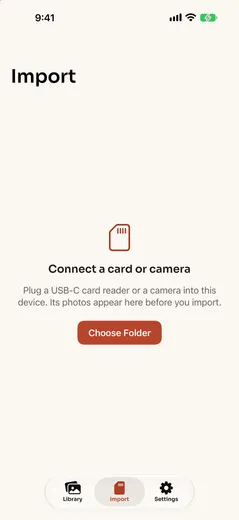
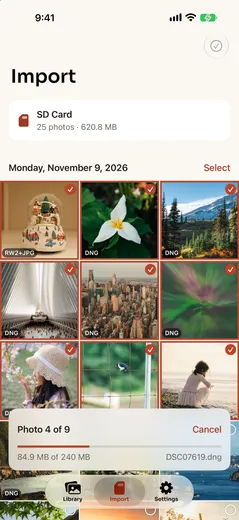

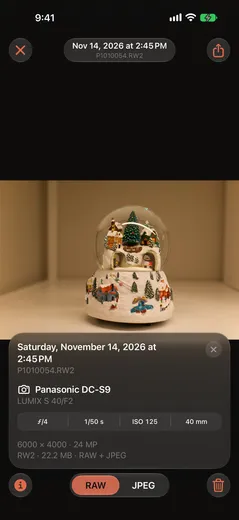
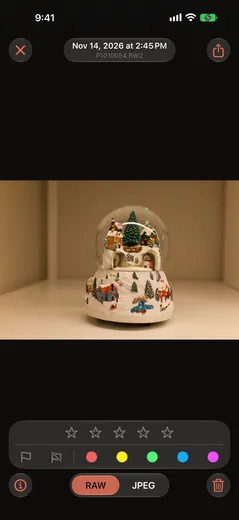
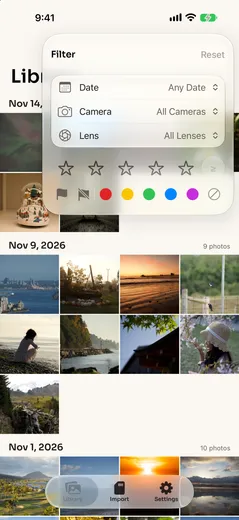
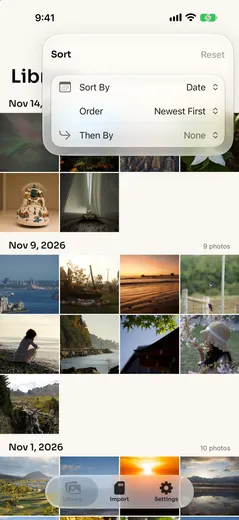

Moonbridge brings RAW photos from a camera onto an iPhone or iPad. Plug in a USB-C card reader or the camera itself, and the card’s photos appear as thumbnails, grouped by day. Pick the ones to keep, import them, and they land in a library on the device where you can look through them, rate them and save the best to Photos or Files.
Made for RAW shooters
- Reads RAW from Sony, Nikon, Canon, Panasonic, Fujifilm, Leica and Hasselblad, plus DNG, JPEG and HEIF.
- Previews the card before anything is copied, using the JPEG each camera embeds in its RAW files, so a full card shows up in seconds.
- Select a day with one tap, drag across the grid to select a run of photos, or show RAW files only.
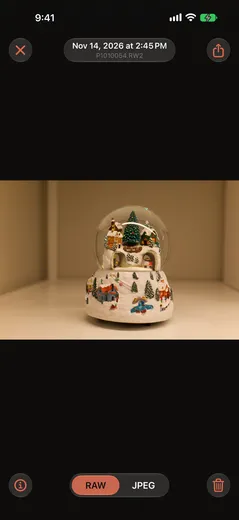
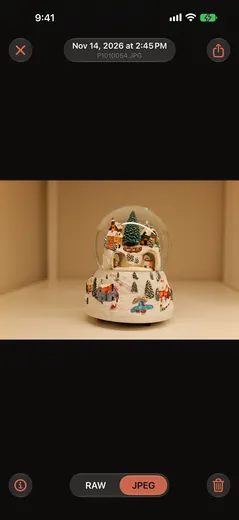
- RAW+JPEG pairs stay together as one photo, and the viewer switches between the RAW and the camera’s JPEG.
- Every file is checked byte for byte after it’s copied, duplicates already in the library are skipped, and an interrupted import picks up where it stopped. Imports keep running when you switch apps.
- After a verified import, Moonbridge can offer to delete those photos from the card. It’s off unless you turn it on in Settings.
A library to sort the keepers
- A grid by capture day, a full-screen viewer, and an info panel with the camera, lens, exposure and, for photos with a location, a map.
- Star ratings, pick and reject flags, and Lightroom’s five color labels.
- Filter by date range, camera, lens, rating, flag or label, and sort by date or rating.
- Save a selection to Files or Photos, or share a single photo.
- Originals are kept unchanged and appear in the Files app under On My iPhone › Moonbridge.
- No account, no ads and no purchases. Everything stays on the device.
Under the hood
SwiftUI on iOS 26, with SwiftData for the library. Cards opened in the Files picker are read directly, and cameras over USB through ImageCaptureCore, both behind one PhotoSource protocol, so the import engine doesn’t know which it’s reading. Imports run as a persisted job queue: each file is copied to a temporary file, hashed with SHA-256 on the way and checked before it joins the library, which is what lets an import resume after the card is pulled or the app is closed. Long imports run as a continued processing task, so they carry on in the background.
RAW decoding is a chain of decoders: the camera’s embedded JPEG for quick thumbnails, then Apple’s RAW engine through Core Image for full-quality previews. Each preview records which decoder made it, so a decoder can be swapped without throwing away the rest. The data model is versioned and kept CloudKit-ready for sync in a later version.
Release notes
1.0
- First release: import RAW and JPEG photos from a USB-C card reader or a camera, with verified copies, duplicate checks and resumable imports; a library by capture day with a RAW | JPEG viewer and an info panel; ratings, flags, color labels, filters and sorting; and saving to Files or Photos. On iPhone and iPad.